DASHBOARD UX · COGNITIVE LOAD · AI-ASSISTED IDEATION
Designing for the Next Action, Not More Data
COMPANY
Real Geeks
ROLE
Lead Designer
EXPERTISE
UX Research · AI-Assisted Ideation · UX/UI Design · Prototyping
YEAR
2026
4 stat panels consolidated to 2
4 design directions explored with AI tools, 1 chosen by users
Pre-launch; success metric defined: mobile follow-up completion
The dashboard showed a lot of information, but not what to do next.
In lead-based sales, speed is everything. A Harvard Business Review analysis of 2.24M leads found that firms contacting a prospect within an hour were about 7x more likely to qualify the lead than those that waited even an hour longer (Oldroyd et al., HBR). Yet on this real estate CRM’s dashboard, the next follow-up competed with four other elements for attention.

This wasn’t a rebuild, and that was the hard part. The job was to find the highest-leverage changes inside an existing product, without breaking the muscle memory daily users relied on.
The tension:
Change enough to meaningfully improve the daily experience
But not so much that users face a relearning curve
While making follow-up feel urgent, organized, and doable
The insight: users weren’t skipping follow-up because they didn’t care. The app made the most important moment of their day harder than a sticky note.
1. Audit the current experience. I mapped the existing flow to find where users made unnecessary decisions, where context was missing, and where simple tasks took too many steps.
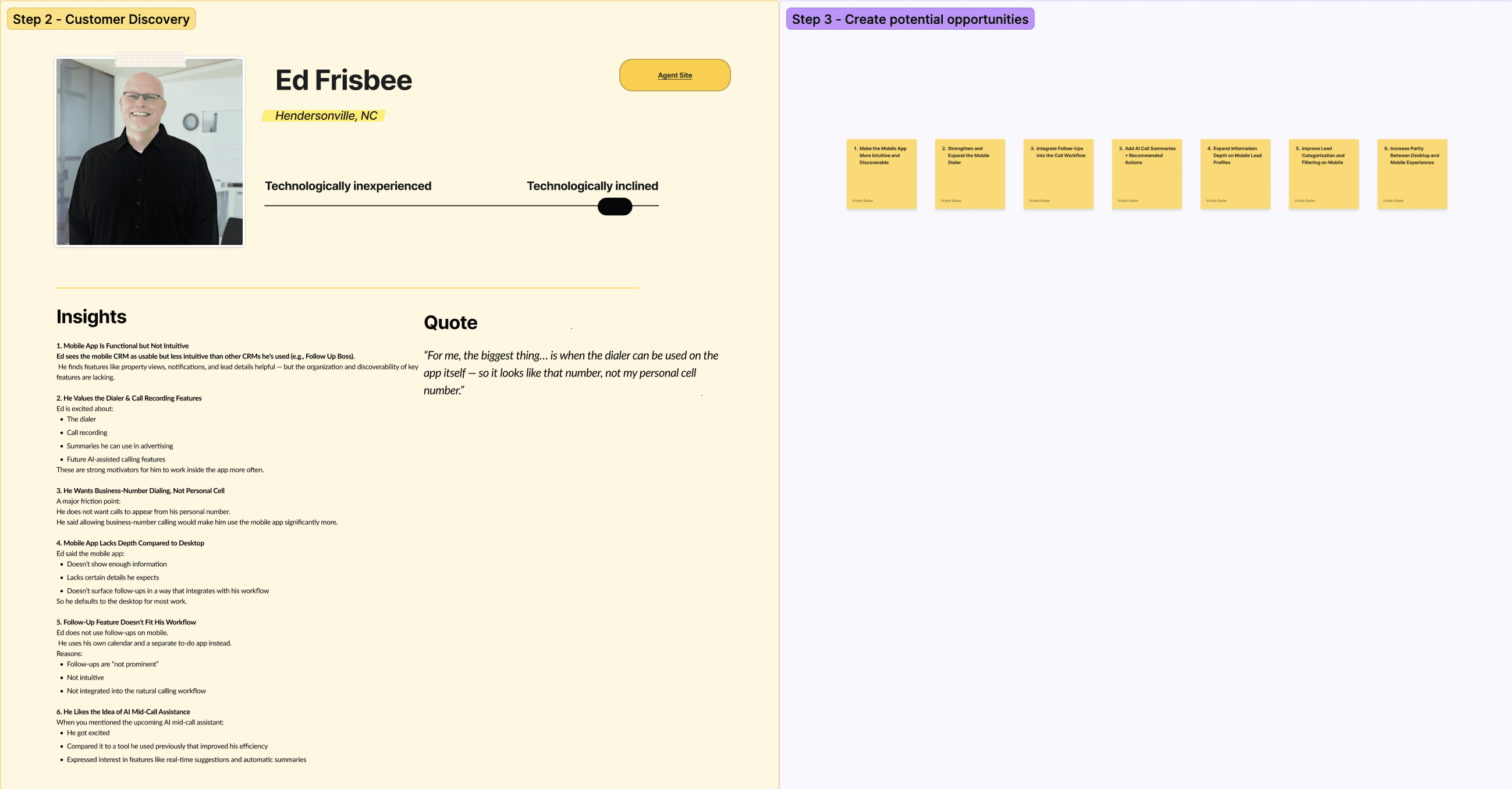
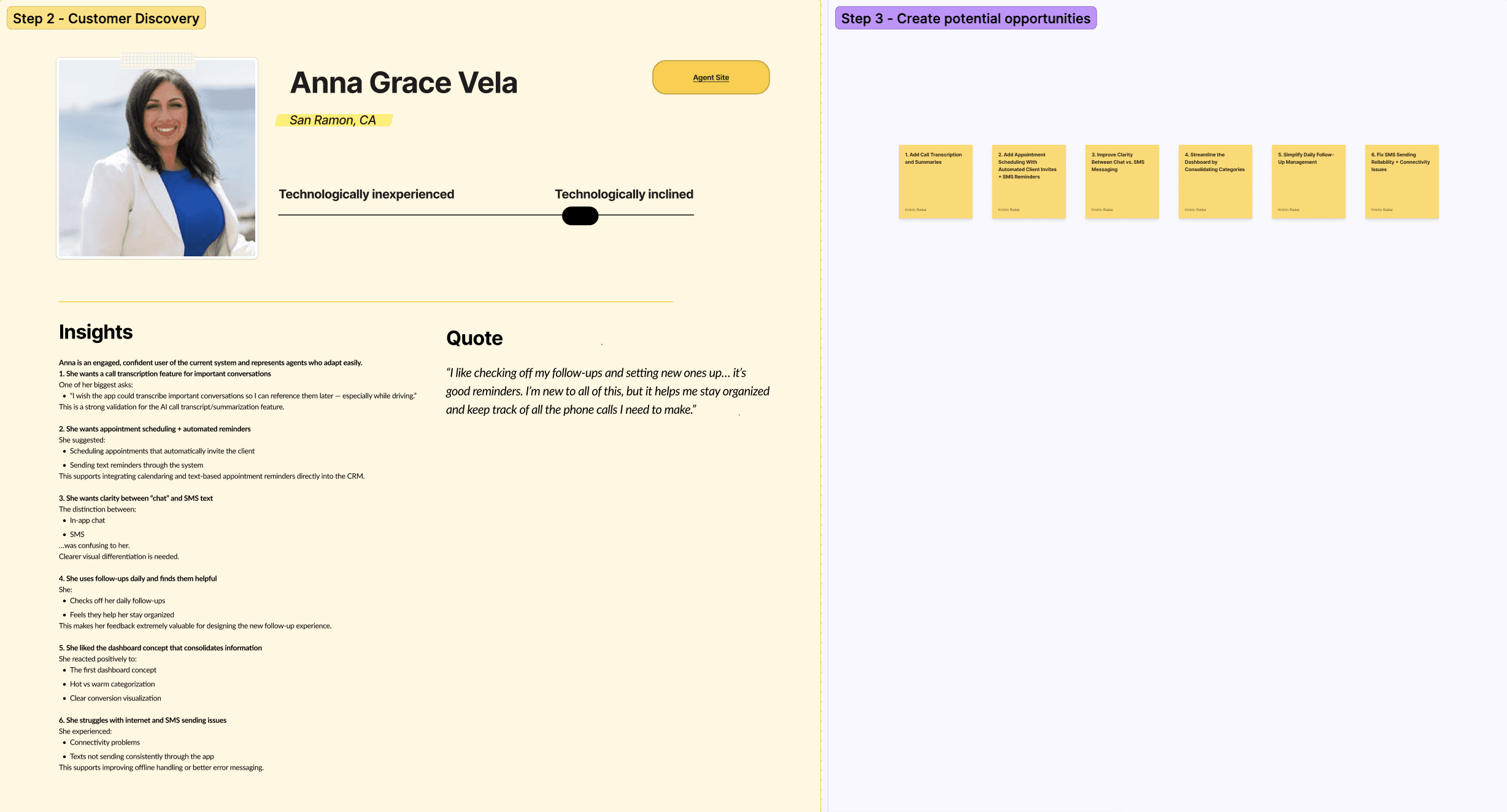
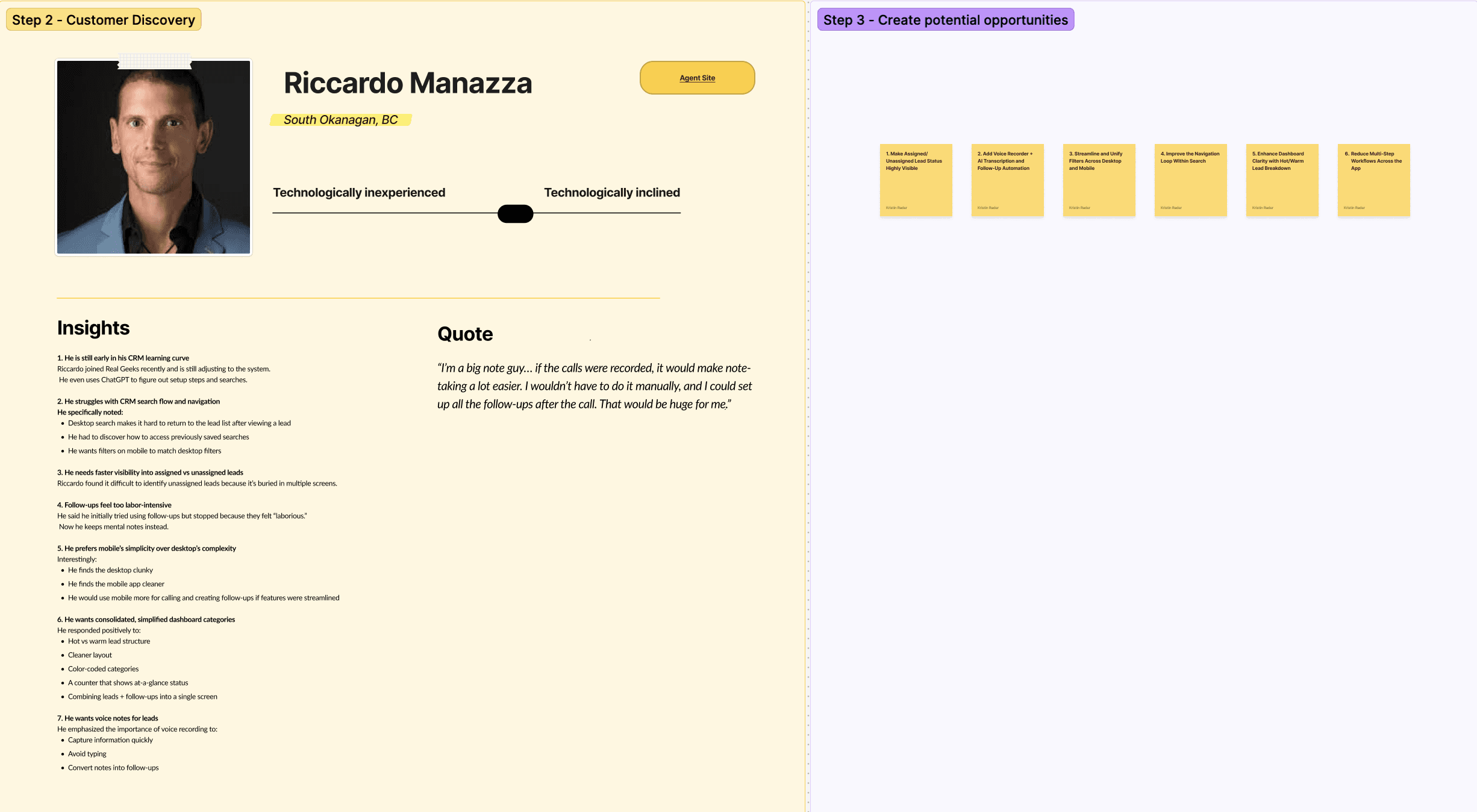
2. Talk to daily users. I interviewed three agents with different comfort levels with tech and different workflows. The question: how do you actually work your leads across mobile and desktop, and where does the app get in the way? Three is a small sample, but these were active daily users and the patterns converged quickly.
3. Focus on the highest-leverage area. Rather than redesign everything, I focused on follow-up, where daily productivity either succeeds or stalls.
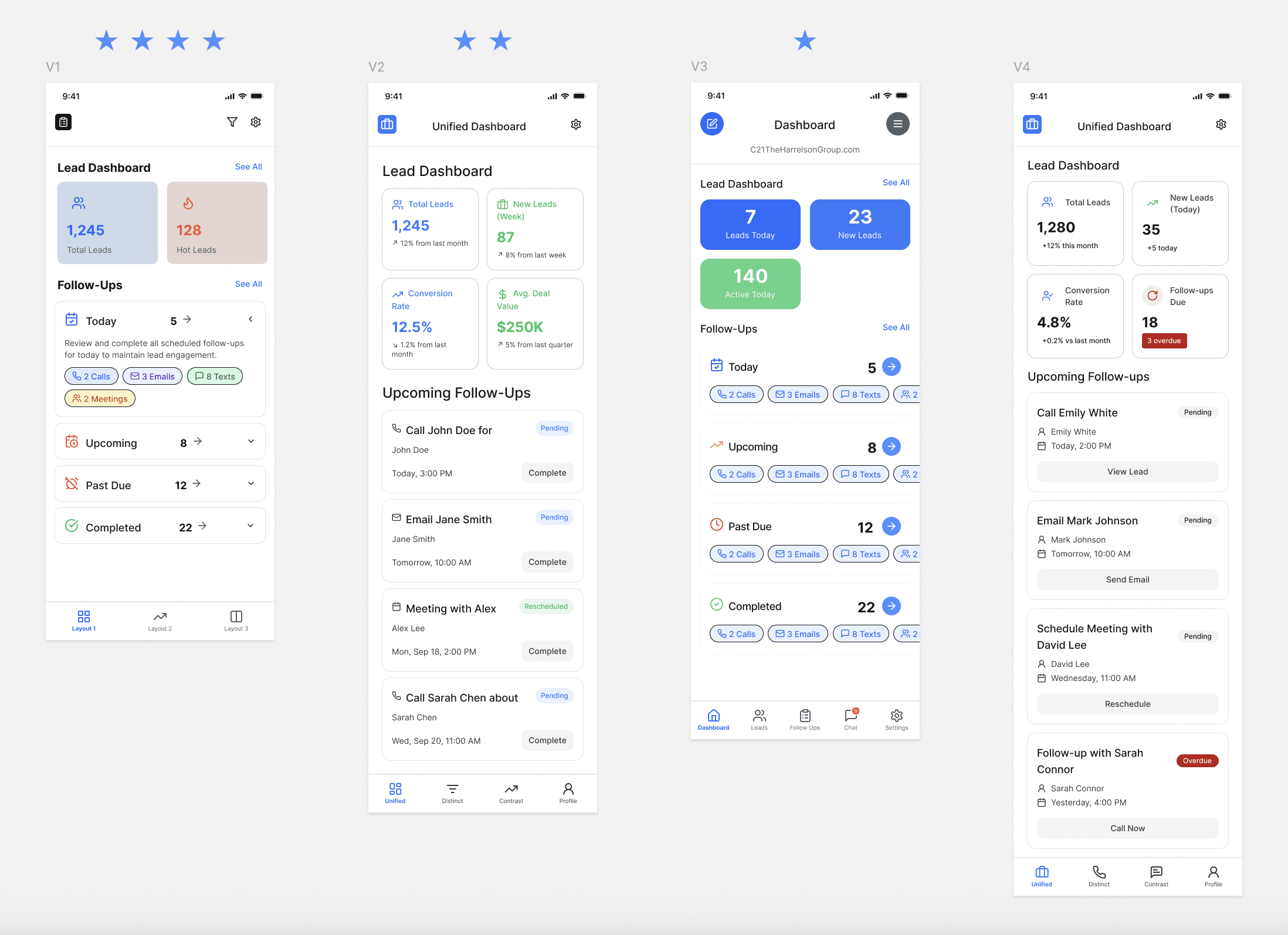
4. Explore wide with AI tools. I used Stitch, Visily, and Figma Make to generate and pressure-test four layout directions before investing in high fidelity. The goal wasn’t speed for its own sake. It was putting more real options in front of users so their input, not my assumptions, drove the decision.
5. Let users choose. I showed users four directions (V1–V4) that varied in density, hierarchy, and style, and asked which they’d want to open every morning. V1 won clearly for its clean two-panel summary, follow-up breakdowns by type, and familiar structure. V2 earned votes for data depth; V3 and V4 informed details.
6. Prototype and refine. I built a clickable Figma prototype of the dashboard and detail view, then iterated on the panel structure to find the metrics that gave the clearest read on pipeline health.
What I learned
Follow-ups were buried on mobile and disconnected from how users actually call, so they defaulted to desktop or left the app.
Users wanted to know the type of task before tapping in. A call, text, and email take different energy and timing, but the app made them all look the same.
The dashboard felt cluttered: too many equal-weight panels and no signal of what mattered most.
Follow-up felt like enough work that people gave up, falling back on mental notes and to-do apps, which is where leads get lost.
One direction resonated with everyone: a cleaner layout built around hot vs. warm leads, with fewer categories.
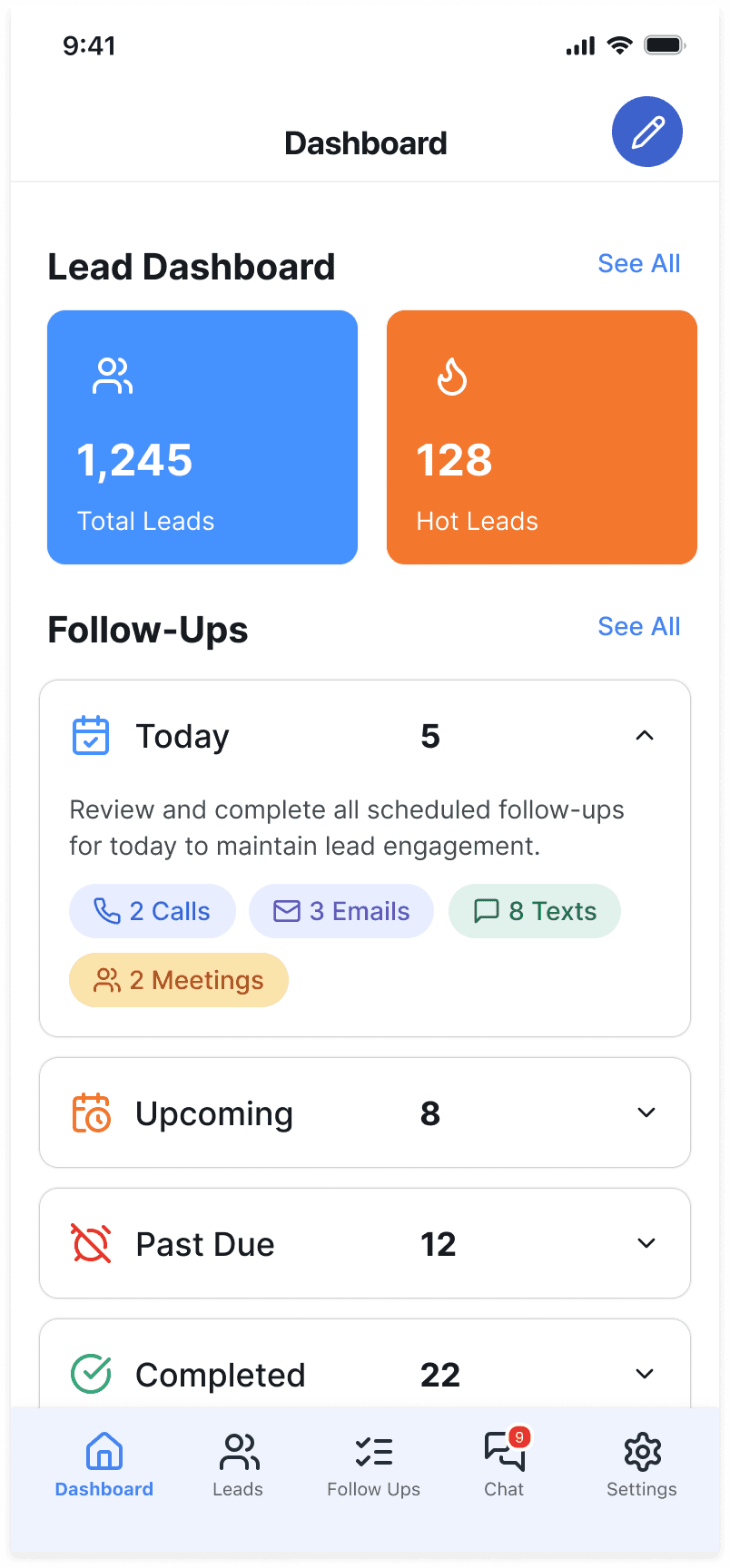
1. Consolidate four stat panels into two. Users said equal-weight panels competed with no clear priority. Two panels, Total Leads and Hot Leads, give an instant read on what matters.
Tradeoff: less data at a glance, but a clearer starting point that doesn’t split attention.
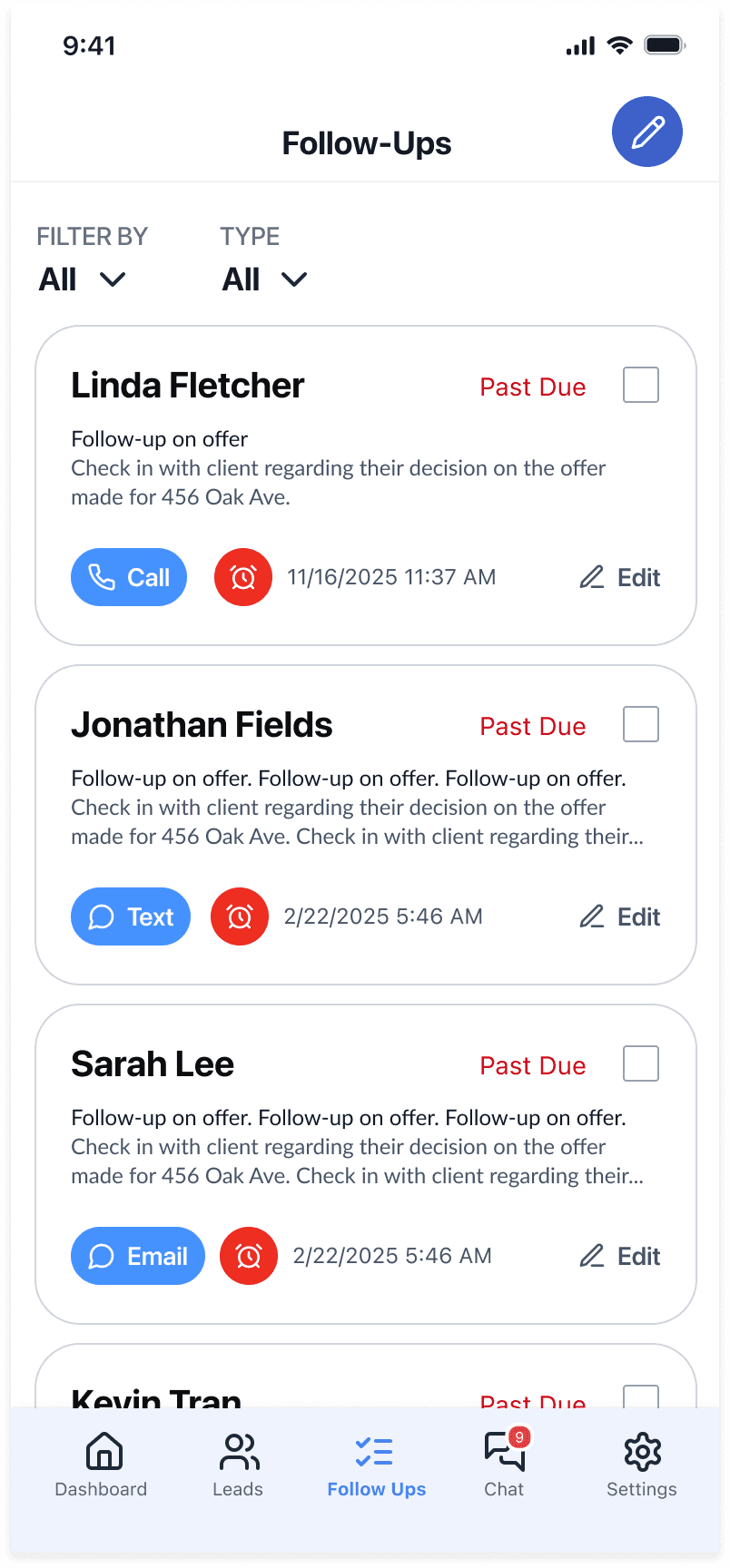
2. Show follow-ups by type. The old Today / Upcoming / Past Due tabs only showed counts. Each category now breaks down into calls, texts, emails, and meetings.
Tradeoff: more information on screen, but structured to reduce decision fatigue, not add to it.
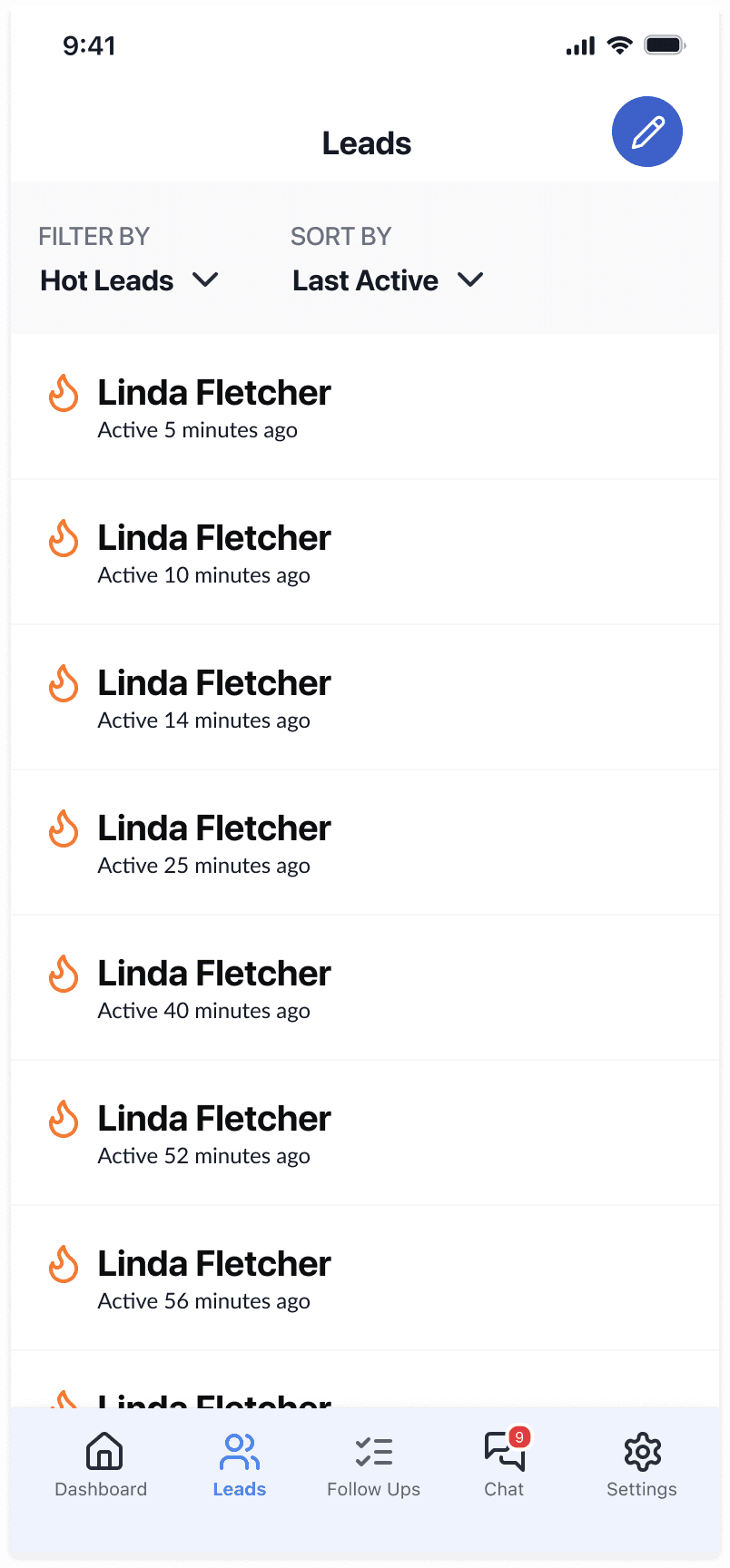
3. Let users act without leaving. Tapping a category opens a full list with filters, due dates, inline Call / Text / Email buttons, editing, and a mark-complete checkbox, all in one flow.
Tradeoff: more depth in the detail view, but that’s where users do the work, so depth earns its place.
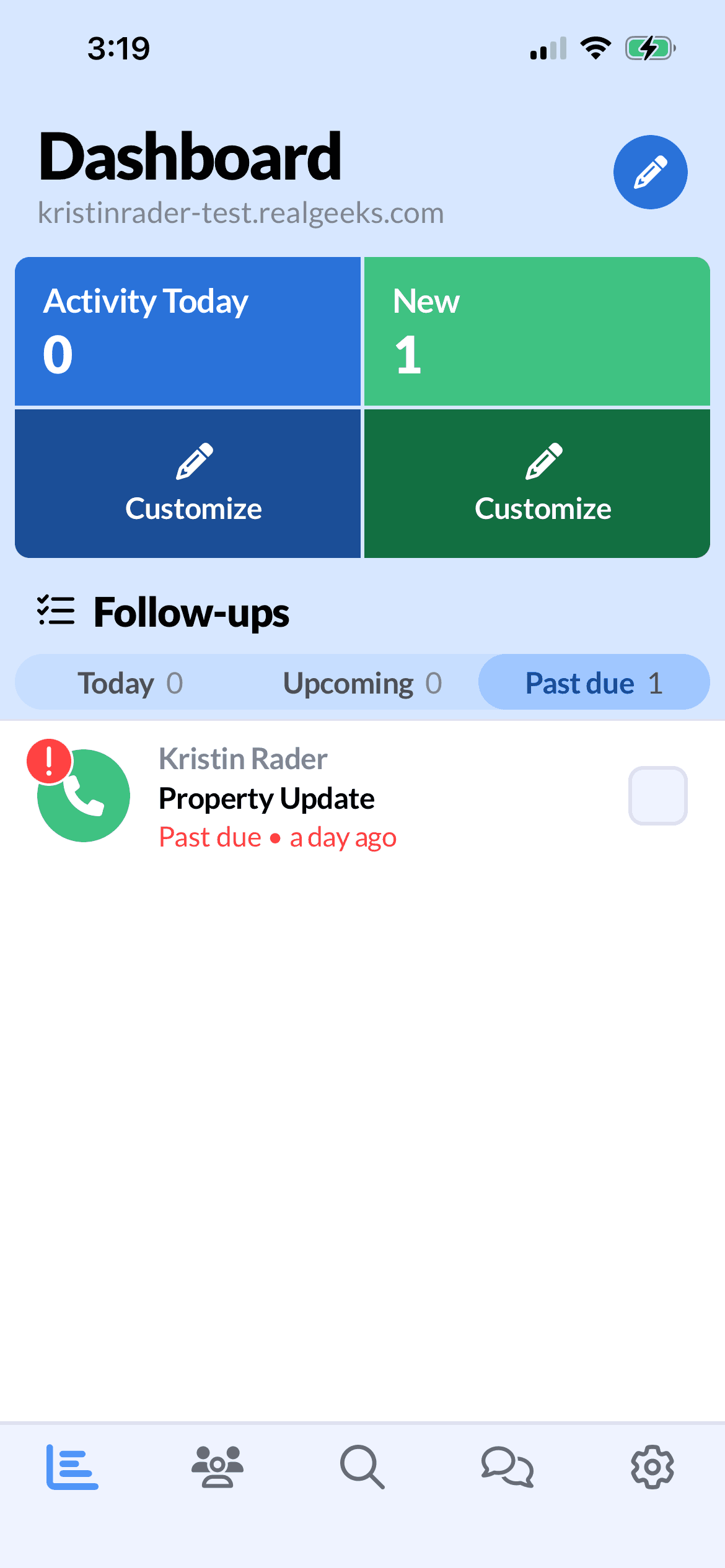
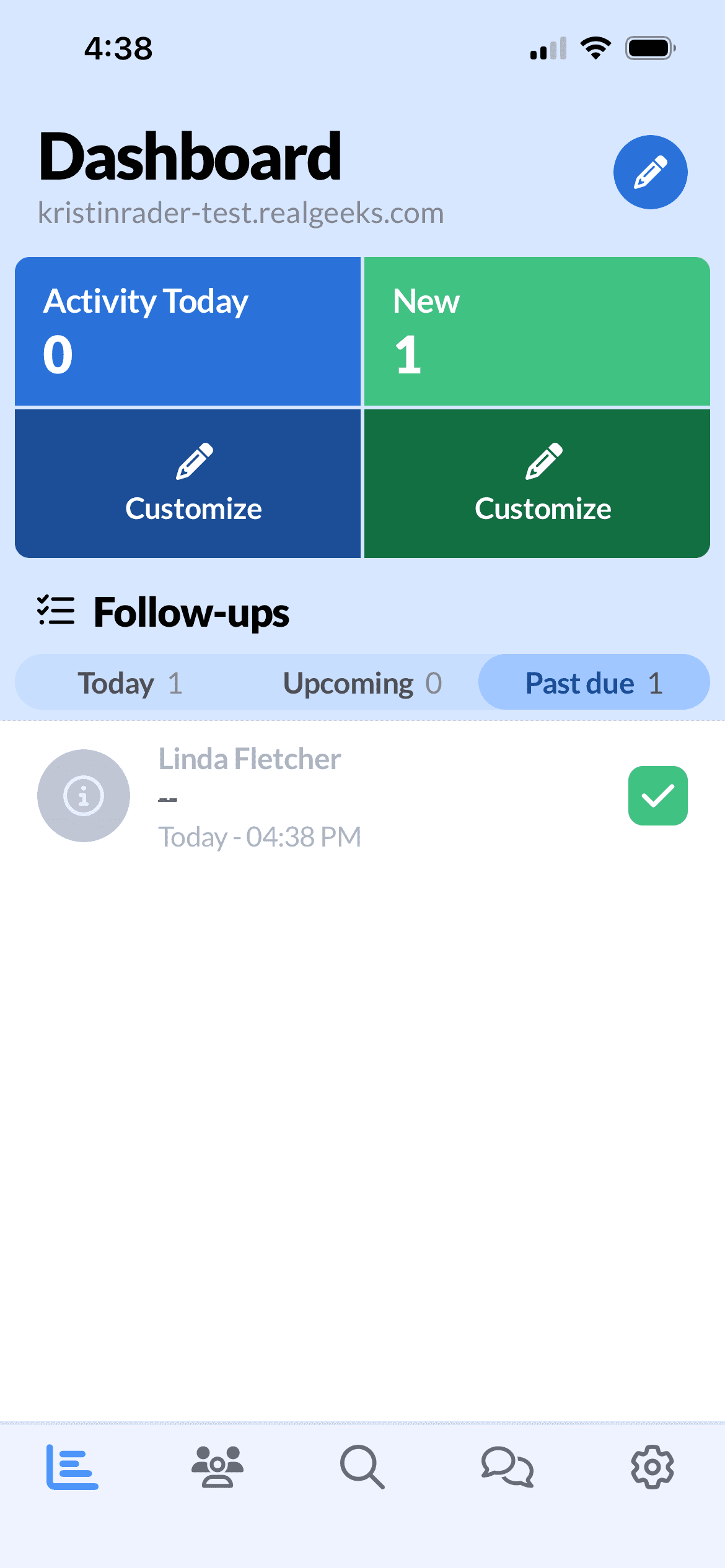
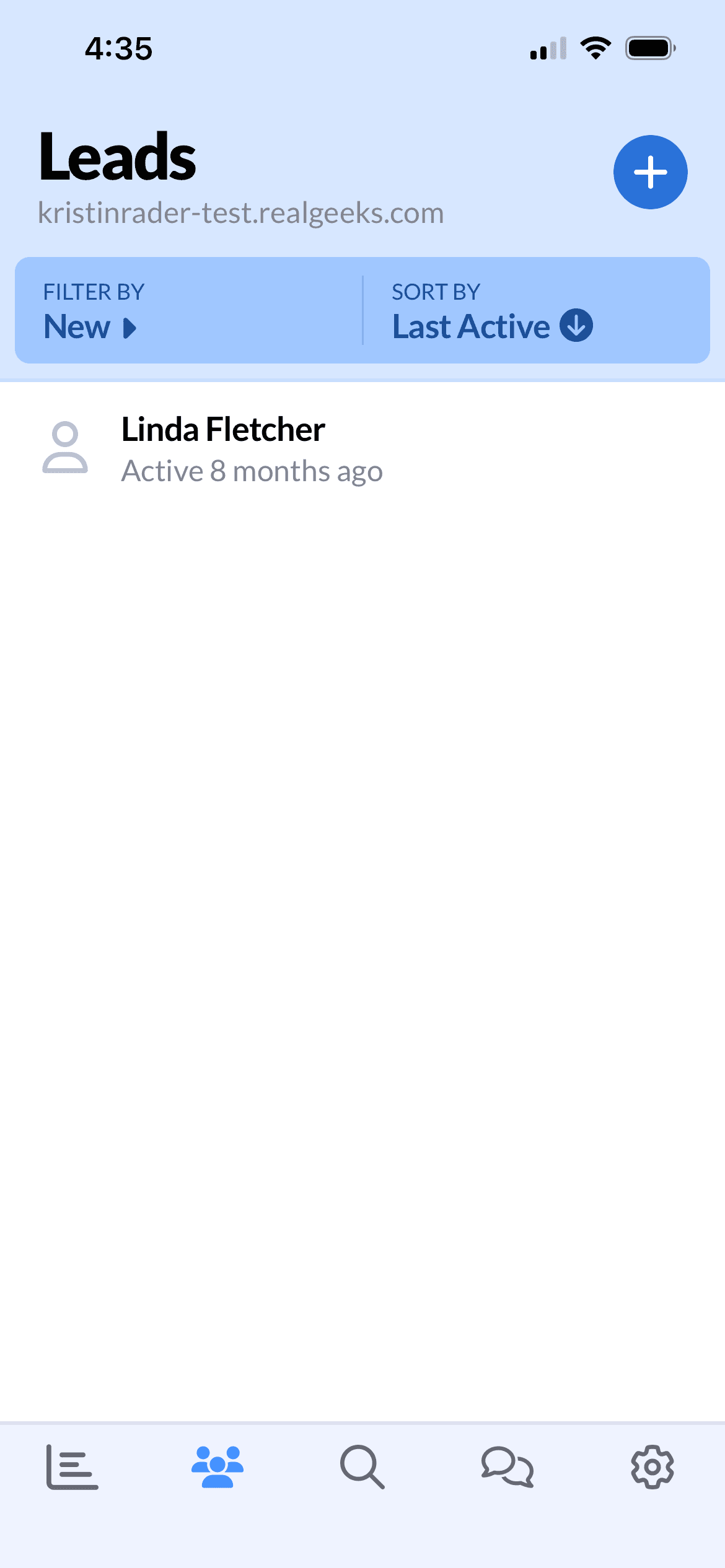
Before: four equal-weight panels; follow-ups shown only as raw counts with no hint of what each required
After, dashboard: two lead panels up top; each follow-up category broken down by type, so users know what their day demands before tapping
After, detail view: one uninterrupted flow to filter, act, edit, and complete, where users used to leave the app
The redesign is pre-launch. The metric I’ll track is mobile follow-up completion: whether users stop defaulting to desktop and to-do apps and trust the app to run their day.
A good dashboard redesign doesn’t show more; it makes the next action obvious. The work here was removing the cognitive load between opening the app and knowing who to contact, how, and when, and finding those gaps in an existing product without tearing it down.