UX/UI DESIGN · REAL ESTATE TECH
Mobile Dialer: Designing the Calling Tool Agents Would Actually Use
COMPANY
CINC · Real Geeks
ROLE
Lead Designer
EXPERTISE
UX/UI Design · UX Research · Design Sprint Facilitation
YEAR
2026
For a real estate agent, the dialer is not a feature. It is the engine of the entire day. Leads only turn into appointments through conversations, and conversations start with a dial. The more an agent calls, and the faster they call, the more pipeline they build.
So the dialer should have been the most-used tool in the app. Instead it was the one agents went out of their way to avoid.
The mobile dialer ran on a single line only. It could not record calls or summarize them. It dropped close to a third of its connections. It hid its own Start Dialer button on smaller phones, and once the call modal was dismissed there was no way to bring it back. Agents reacted the way people always react to a tool that fights them. They stopped using it. They dialed from desktop, called straight from their personal phones, or paid out of pocket for third-party tools like Dialpad.
That is what made this closer to a 0 to 1 than a redesign. The product technically existed. In the actual workflow of the people it was built for, it did not. The job was not to refresh a tool agents used. It was to design the version they would choose for the first time.

This is the part that made it hard. Winning back a user who has already written your product off is a different problem than improving one they like.
The brief was a single question:
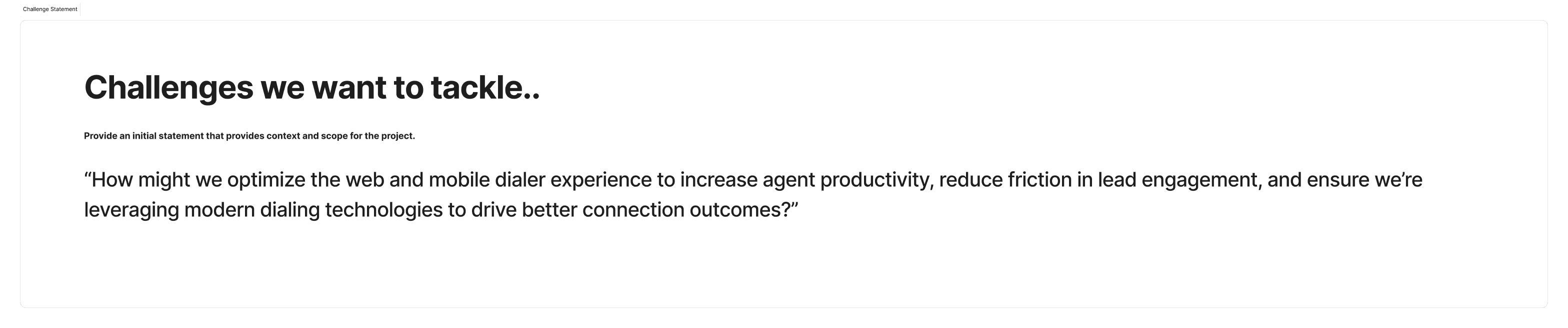
"How might we optimize the web and mobile dialer experience to increase agent productivity, reduce friction in lead engagement, and ensure we're leveraging modern dialing technologies to drive better connection outcomes?"
That gave me a real tension to design against:
Rebuild enough trust that agents would open the dialer again
Without piling a relearning curve onto the agents who had grudgingly stuck with it
And make calling feel fast, reliable, and worth doing, instead of one more thing that might freeze mid-dial
The deeper truth under all of it: agents were not avoiding the dialer because they did not want to call. Calling is how they get paid. They were avoiding it because the tool made the single most repeated moment of their day harder than picking up their own phone.
I ran this as a design sprint, which meant earning the right to design before drawing a single screen. Before committing to any direction I separated three things the team had been treating as one: what we were assuming, what we actually knew, and what we still needed to find out.
Surfacing the assumptions first
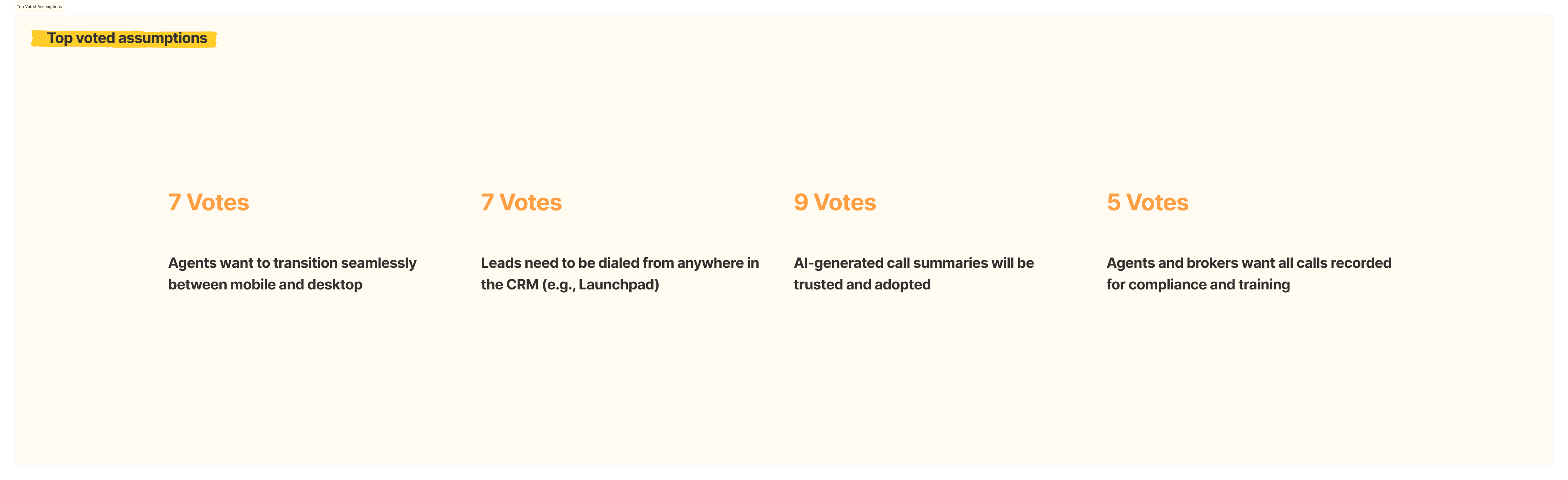
A tool with near-zero adoption collects a lot of theories about why. I pulled those theories into the open and had the team vote, so we were not about to redesign on top of beliefs nobody had tested.

Turning the riskiest assumptions into research
I converted those assumptions into eight research areas, each with its own interview questions, so the conversations were aimed at the things we were least sure about rather than the things we already believed.

Talking to the people who live in the dialer
I interviewed active CINC users across the roles that actually touch the tool: a broker and site owner, an ISA who works around 150 leads a day, and a realtor and site owner who had already left the native dialer for Dialpad. Different tech comfort levels, different workflows, same product.


What came through, over and over
Adoption was a trust problem, not a feature gap. People were not asking for one missing button. They had quietly routed around the tool entirely, to desktop, to their own phones, to Dialpad.
No recording or AI summary on mobile gutted the value. The one thing brokers most wanted for coaching and follow-up was the one thing the mobile dialer could not do.
Reliability had broken confidence. Freezes, dropped calls, and roughly a third of connections failing taught agents not to trust it with a live lead.
There was nowhere to disposition or take notes between calls. Once a call ended, the workflow fell off a cliff.
It was hard to even find or build a call list, especially on a phone, especially on the go.
Agents wanted to move between desktop and mobile without losing their place in the middle of working a lead.
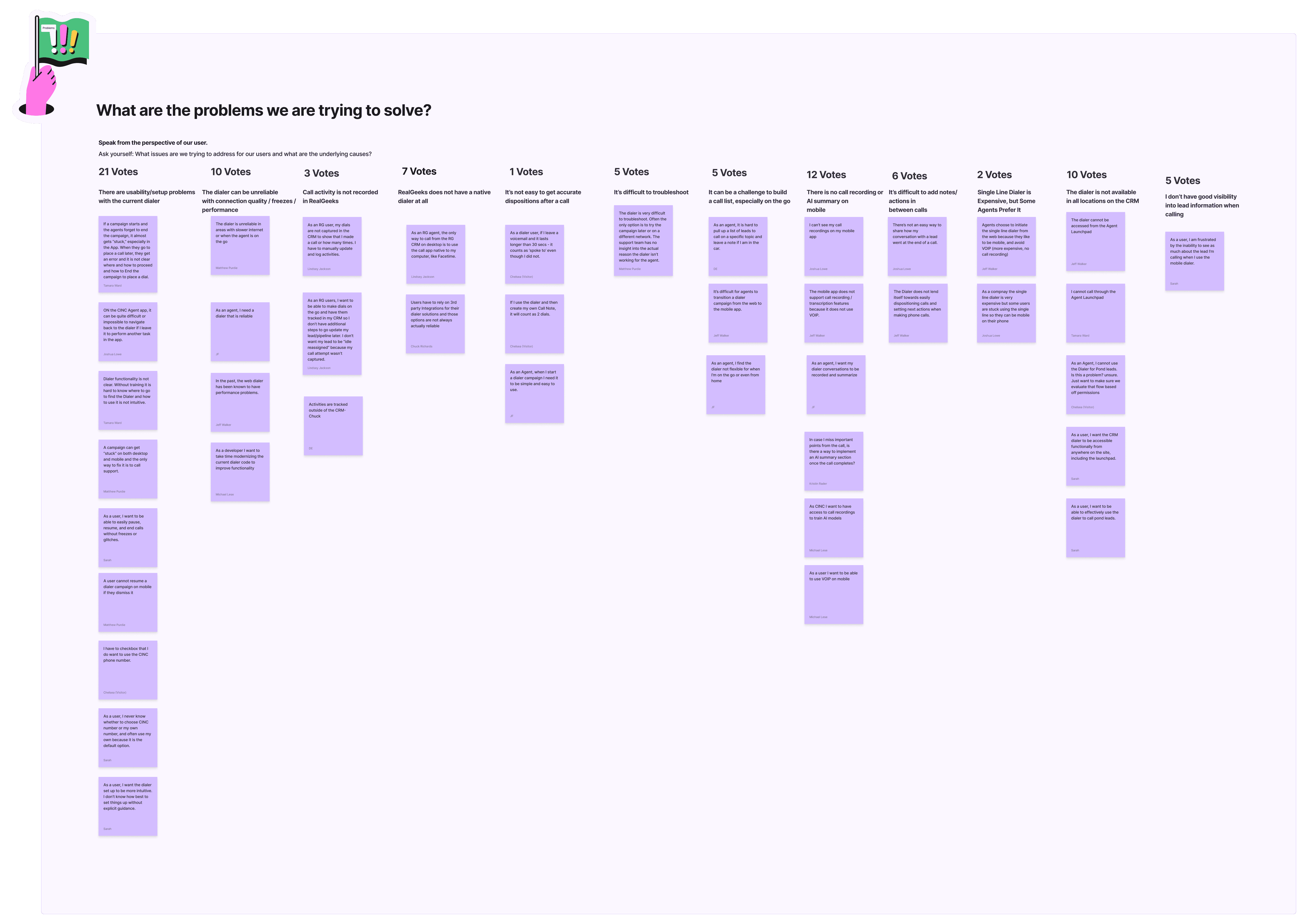
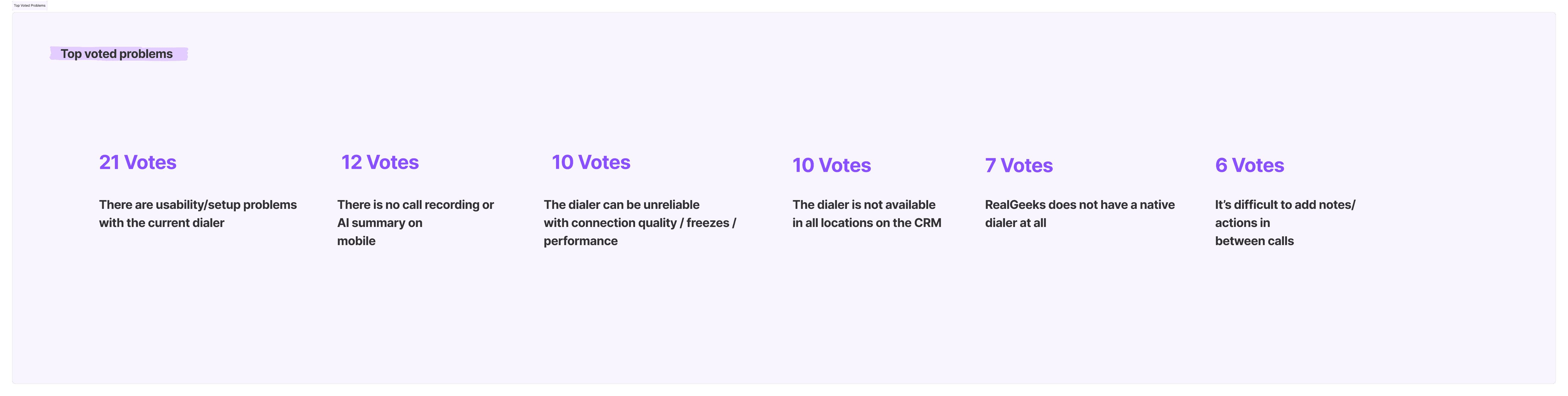
With research in hand, I reframed everything from the user's point of view and got the team to prioritize. This is where a sprawling pile of complaints became a short list of things worth solving.
The problems
The goals
I defined what winning would actually look like, short term and long term, so the design had something to aim at beyond "make it nicer."

The risks
I also stress-tested how this could go wrong, because the most dangerous outcome was spending a quarter on a redesign that agents still refused to touch.


The headline I took from this: the biggest risk was never technical. It was that we would ship real improvements and agents would still be too burned to believe in the tool, or that we would solve the wrong problems entirely. Both pointed back to the same answer. Let the research, not our instincts, decide what got built.
Solution Sketches
Next I sketched fast and wide. Crazy 8s and rougher concepts pushed past the obvious answers toward an AI-augmented dialer: an activation flow, a live call screen with recording, a post-call summary, and a queue built for working a list instead of a single name.

Design Strategy & Key Decisions
Every decision traced back to something an agent told me. I mapped the work as two distinct jobs, because dialing one lead and working a list of a hundred are not the same task and should not share one screen.


1. Bring call recording and AI summaries to mobile. Research signal: the single most-voted mobile gap (12 votes), and the specific reason a broker in my interviews had already left for Dialpad. Decision: recording and post-call AI summaries become first-class on mobile, with a consent step built into the call start. Tradeoff: the consent moment adds a half-second of friction to a flow I was otherwise trying to speed up, but it is non-negotiable legally and, handled well, it is what earns back the trust the old tool lost.
2. Make the dialer reachable from anywhere in the CRM. Research signal: "not available in all locations on the CRM" (10 votes), and the top-voted assumption that leads need to be dialed from anywhere on the platform. Decision: the dialer becomes available wherever a lead lives, including Launchpad, instead of being stranded in one corner of the app. Tradeoff: more surfaces to design and maintain, but this is the difference between a tool agents have to go find and one that meets them where they already are.
3. Build real dispositioning and note-taking between calls. Research signal: "difficult to add notes and actions between calls" (6 votes), plus the brutal detail that the old modal could be dismissed with no way to reopen it. Decision: a post-call wrap-up step that captures disposition, notes, and next actions before the next dial, and a queue that holds your place. Tradeoff: it adds a deliberate beat to the end of every call, but losing that step is exactly how leads fell through the cracks before.
4. Design for a clean handoff between desktop and mobile. Research signal: the top-voted assumption (7 votes), that agents want to move between mobile and desktop without breaking stride. Decision: the mobile experience is built as a true continuation of the desktop workflow, not a stripped-down afterthought. Tradeoff: it raises the bar on parity, but parity is the whole point. Agents abandoned mobile because it felt like a downgrade.
5. Make the dialer obvious to find and start. Research signal: the Start Dialer button was literally hidden on smaller phones. Decision: a clear, hard-to-miss entry point and an activation flow that tells agents exactly where they are. Tradeoff: it spends prime screen real estate on a single action, but for the tool that runs an agent's day, that is the right thing to make loud.
1. Frame the sprint. I structured the engagement as a design sprint so the team committed to research before solutions instead of jumping to features.
2. Separate assumptions from facts. I surfaced and ranked the team's assumptions about why the dialer was failing, so we knew which beliefs still needed proof.
3. Build a targeted research plan. I turned the riskiest assumptions into eight research areas with matching interview questions.
4. Interview active users. I spoke with users across the roles that touch the dialer daily and synthesized the conversations into clear themes.
5. Prioritize problems, goals, and risks. I reframed findings from the user's point of view and had the team vote, narrowing a wide field down to what was worth solving.
6. Study the field. Lightning demos surfaced proven patterns from the tools agents had defected to and from stronger dialers.
7. Sketch wide, then converge. Crazy 8s and concept sketches explored the solution space before I committed to a direction.
8. Map the flows. I split the work into Mass Dial and Single Dial user story maps to ground the design in real tasks.
9. Design high-fidelity.
Everything to this point was about earning the right to design the dialer agents would choose. This is what I built toward.
The flows below are organized around the two jobs the research separated out, Single Dial and Mass Dial, and each screen answers a specific signal agents gave me. The point was never to patch what existed. What existed had already lost the room. The point was to design the calling experience agents would open on purpose.
The hardest products to design are not the empty ones. They are the ones people have already decided to ignore. There is no honeymoon and no benefit of the doubt. Every agent in my research had a reason they had stopped trusting the dialer, and most had already found a workaround they were not eager to give up. Winning that user back is its own kind of 0 to 1. The code existed. The trust did not.
What made this work was refusing to guess. The team had no shortage of theories about why adoption was dead. Research is what turned those theories into a ranked, defensible list of what actually mattered, and into a design aimed at the real reasons agents had left rather than the reasons we assumed.
Because this is pre-launch, the real proof comes at deployment. The metric I will be watching is adoption: whether agents stop paying out of pocket for Dialpad, stop defaulting to desktop, and start running their calls through the dialer because it finally earns the dials. That is the behavior the whole project was built to change.